Fast checkout
Scan a barcode and the item is in the cart. Keep several orders open, apply discounts and handle returns.
Built for shops in Turkmenistan
Sales, stock, cash, credit and profit — all in one place. OnHasap sells fast with a barcode scanner, keeps your stock count and shows what you earned every day.
No PC needed — just your phone · Google Play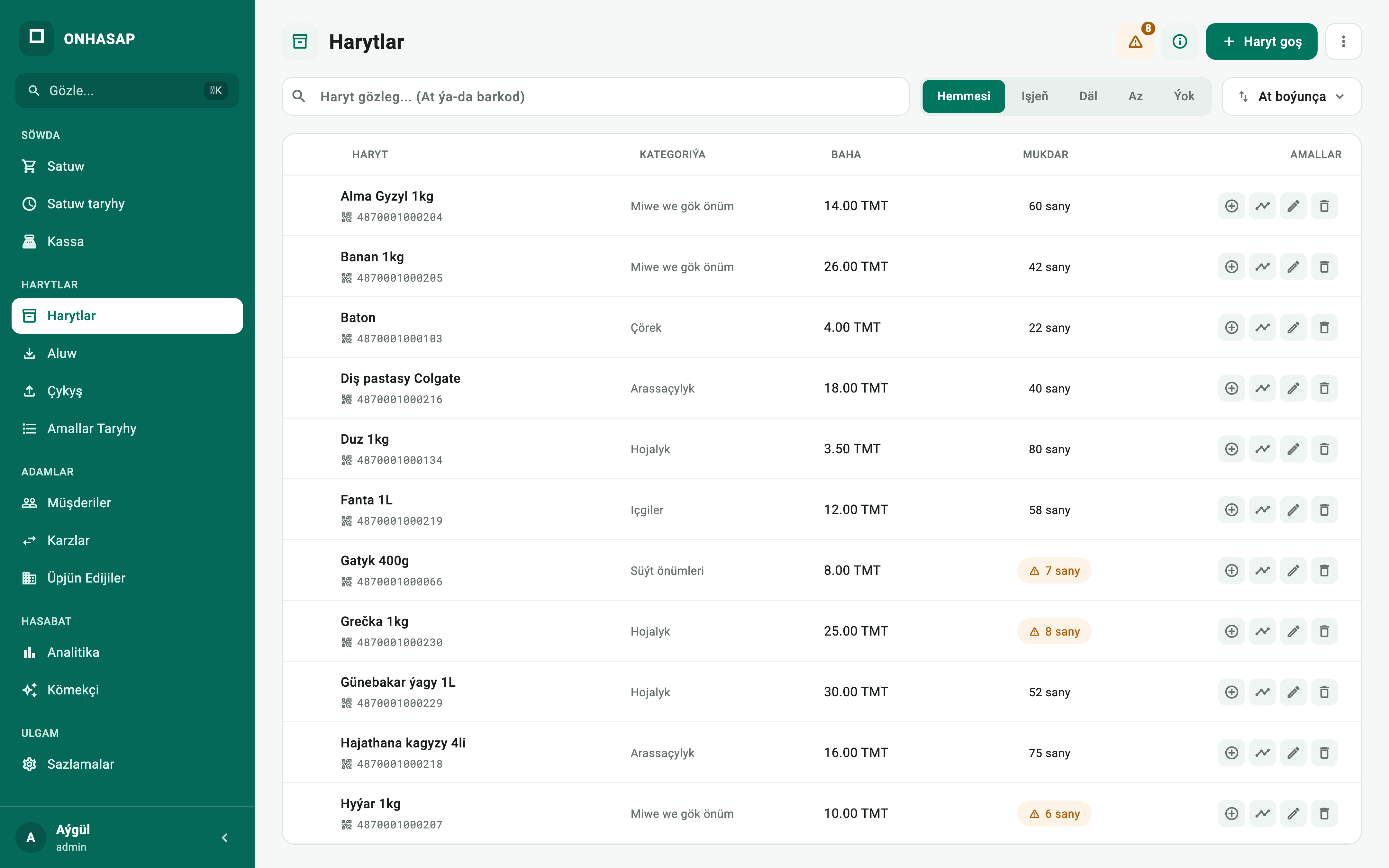
Fits any kind of shop
Product
A new cashier learns it in minutes.
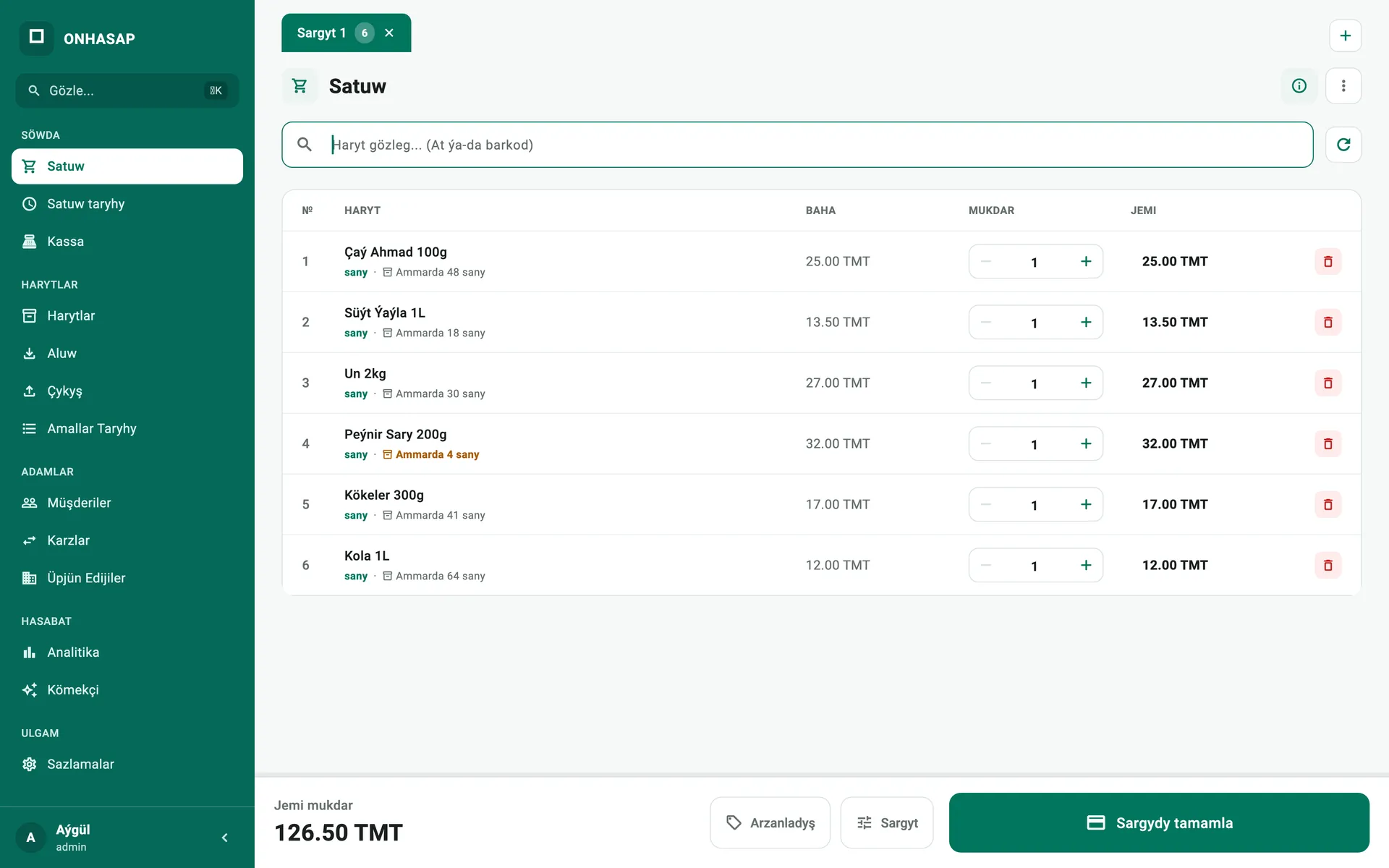
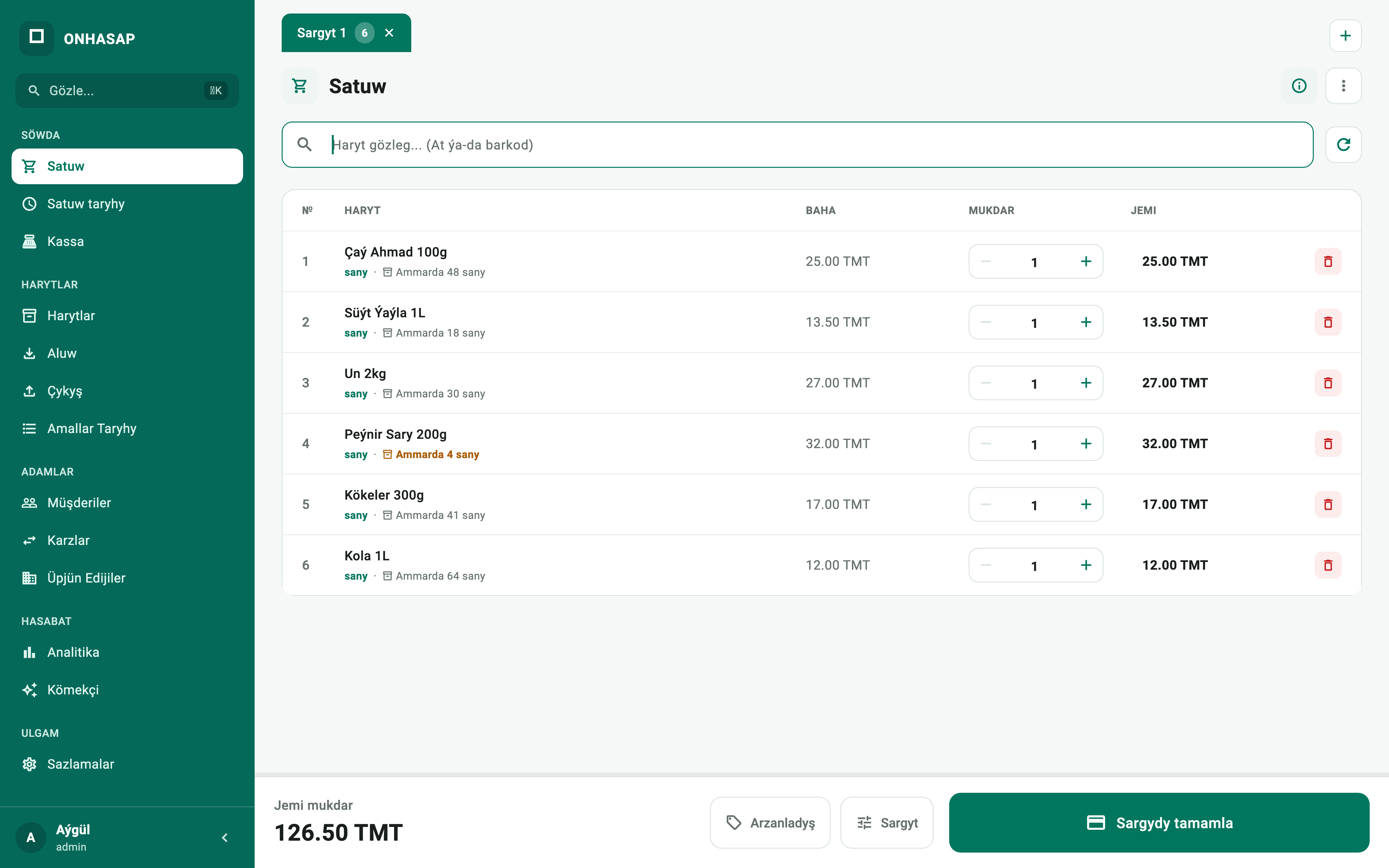
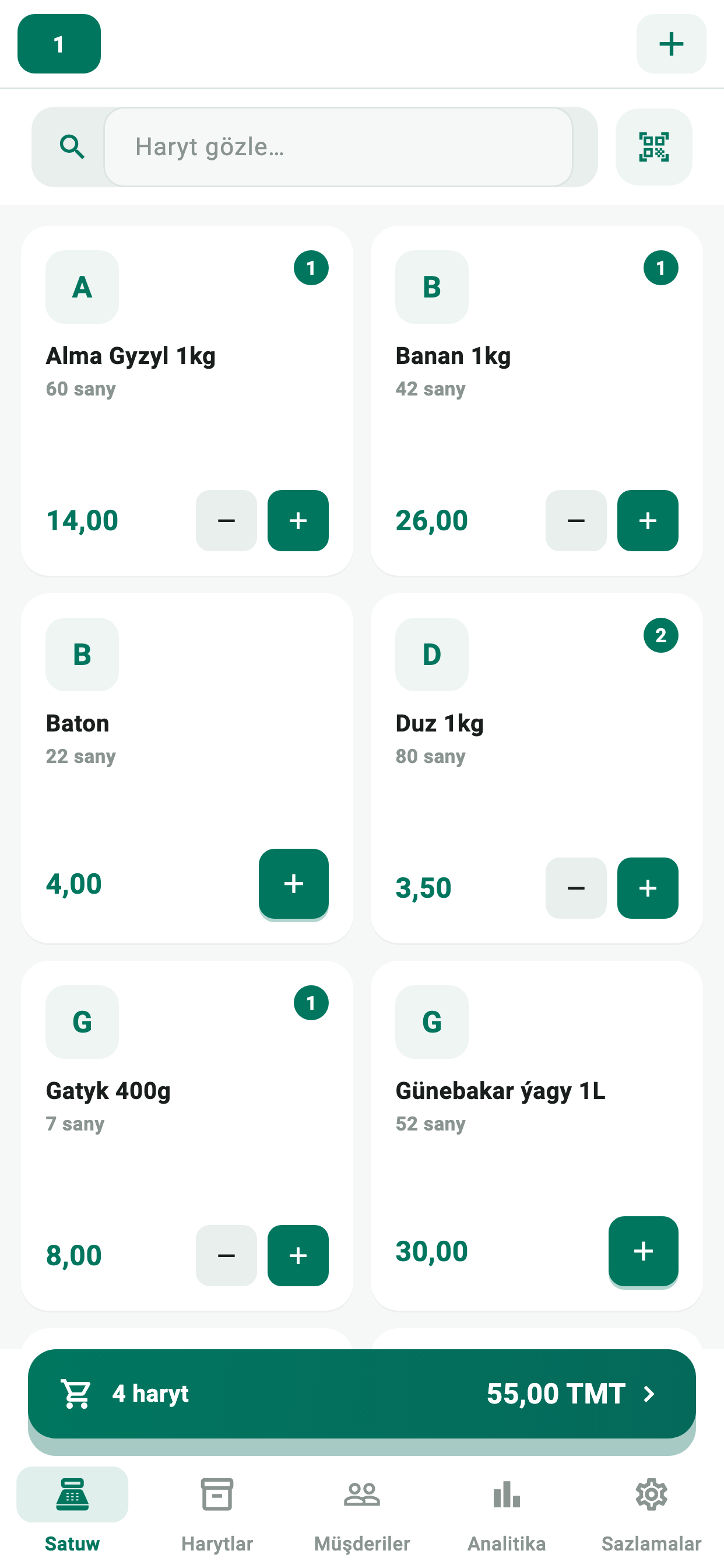
Checkout. Search by barcode or name, adjust quantities and finish the order in one tap.
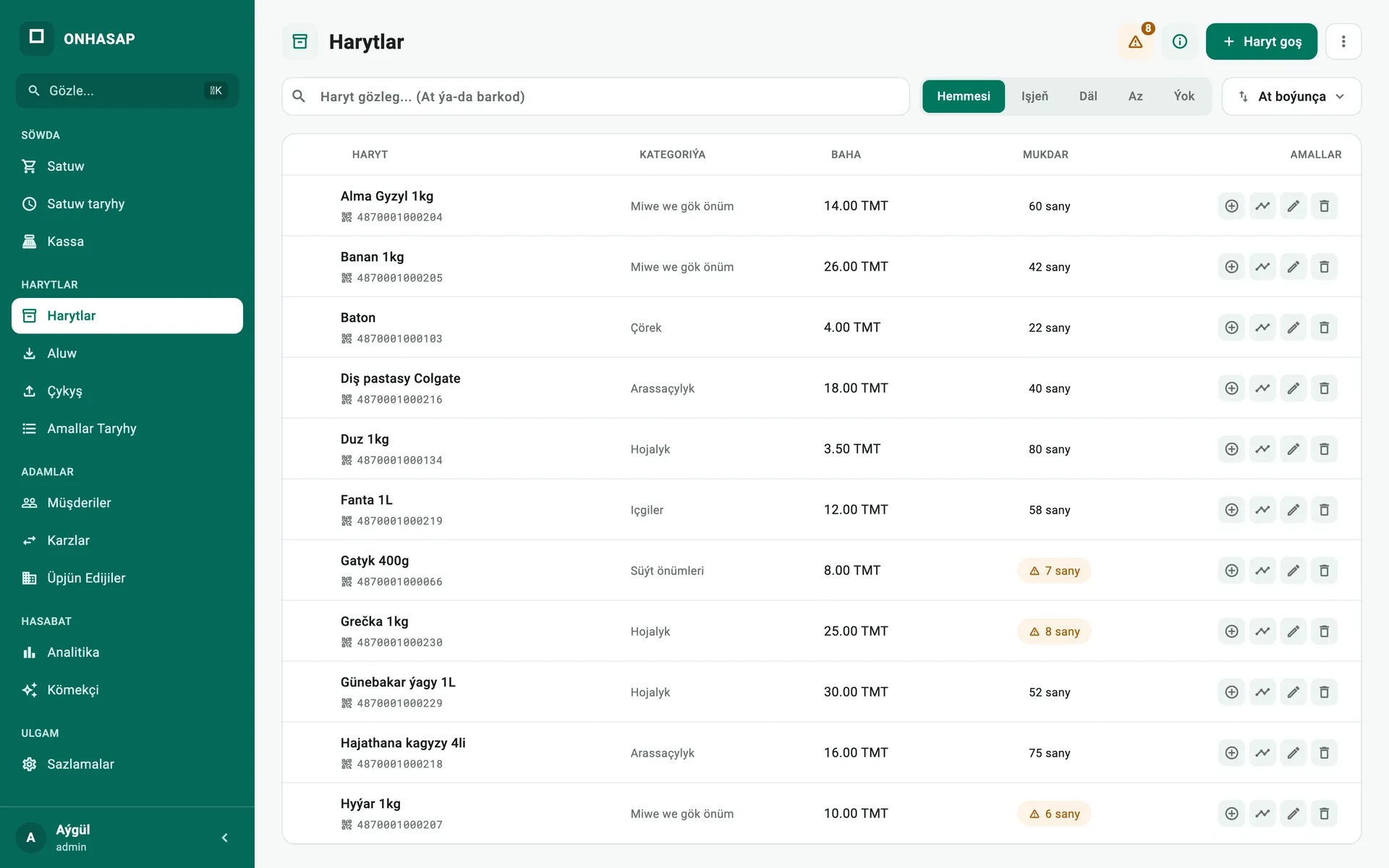
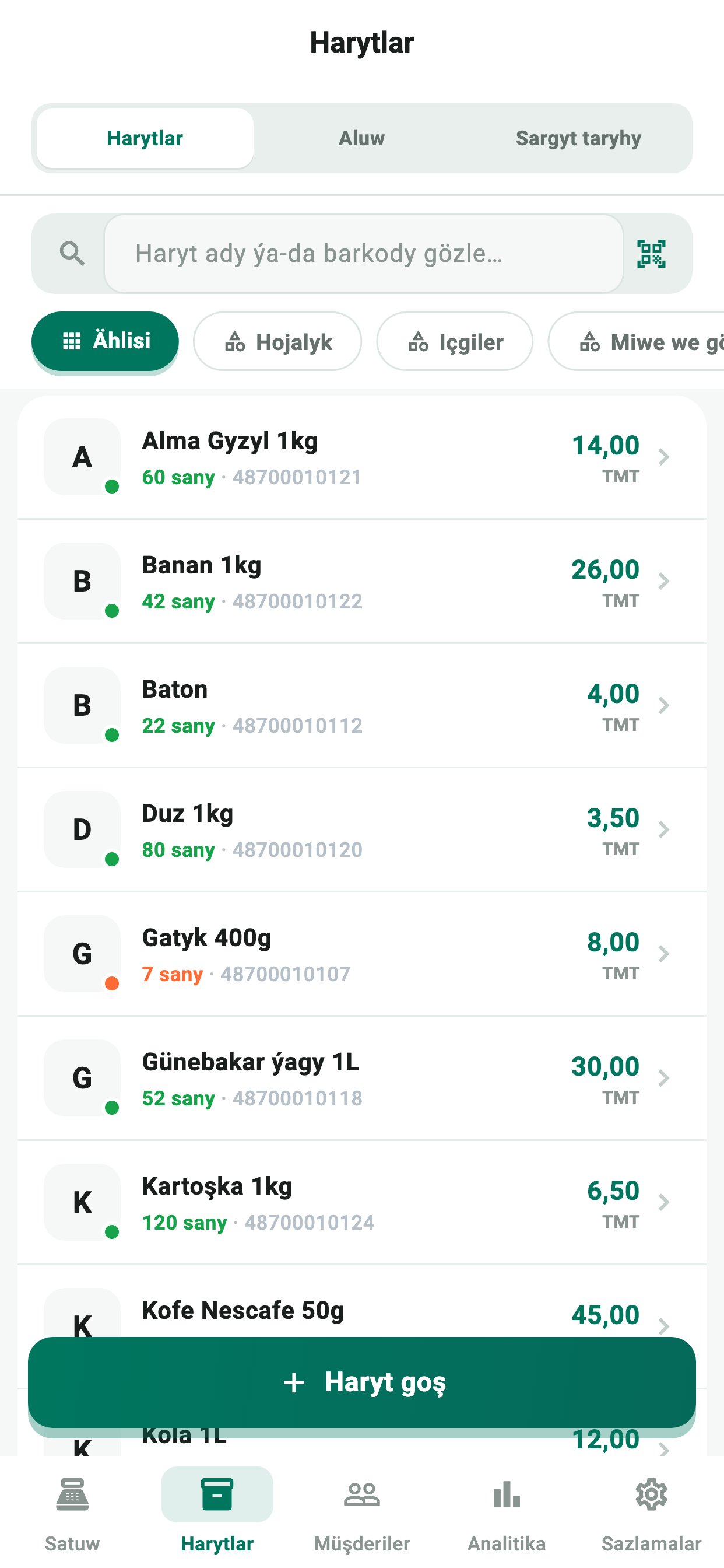
Products. Prices, categories, stock levels and low-stock items on one page.
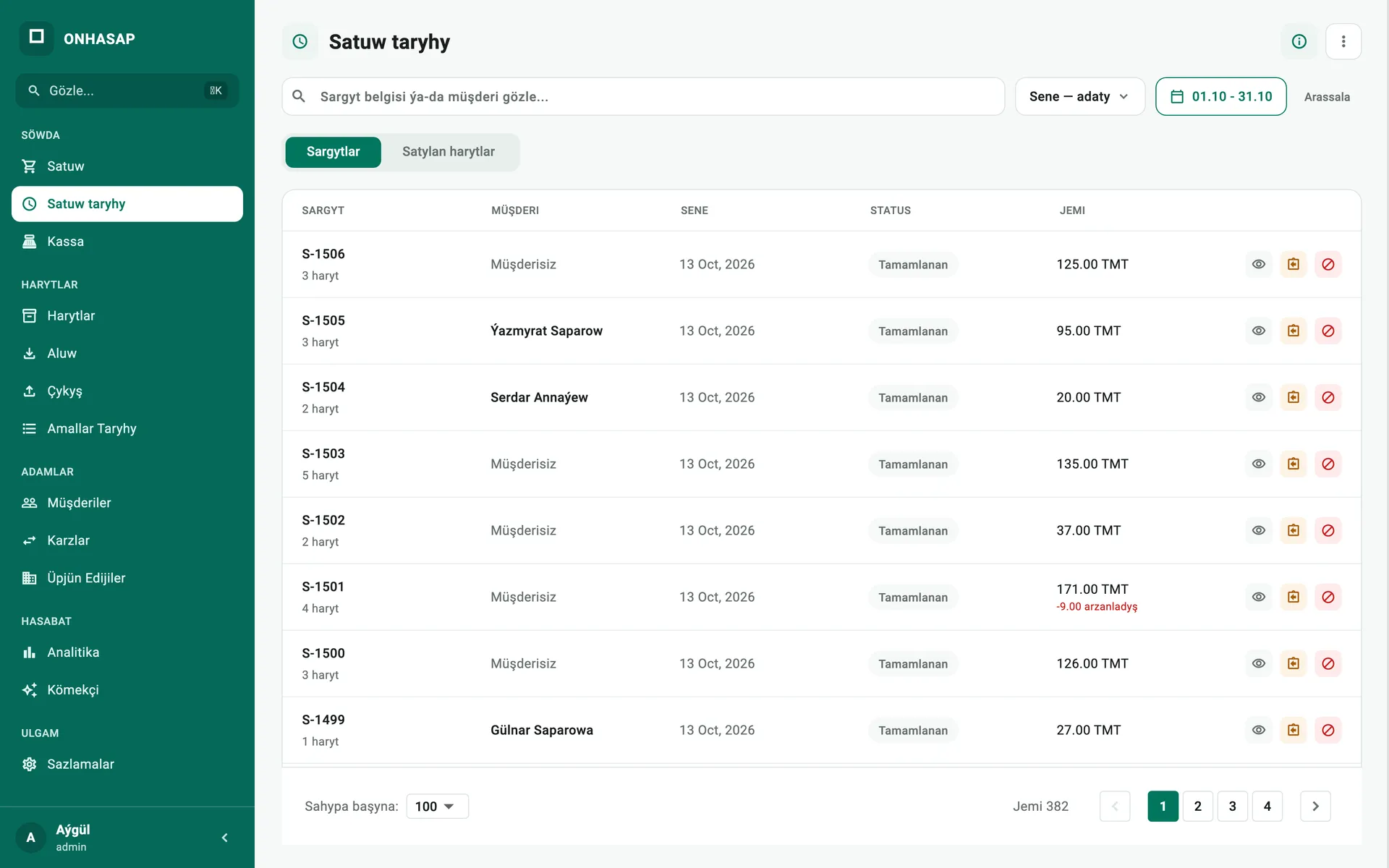
Sales history. Every order is kept with its customer, discount, returns and date.
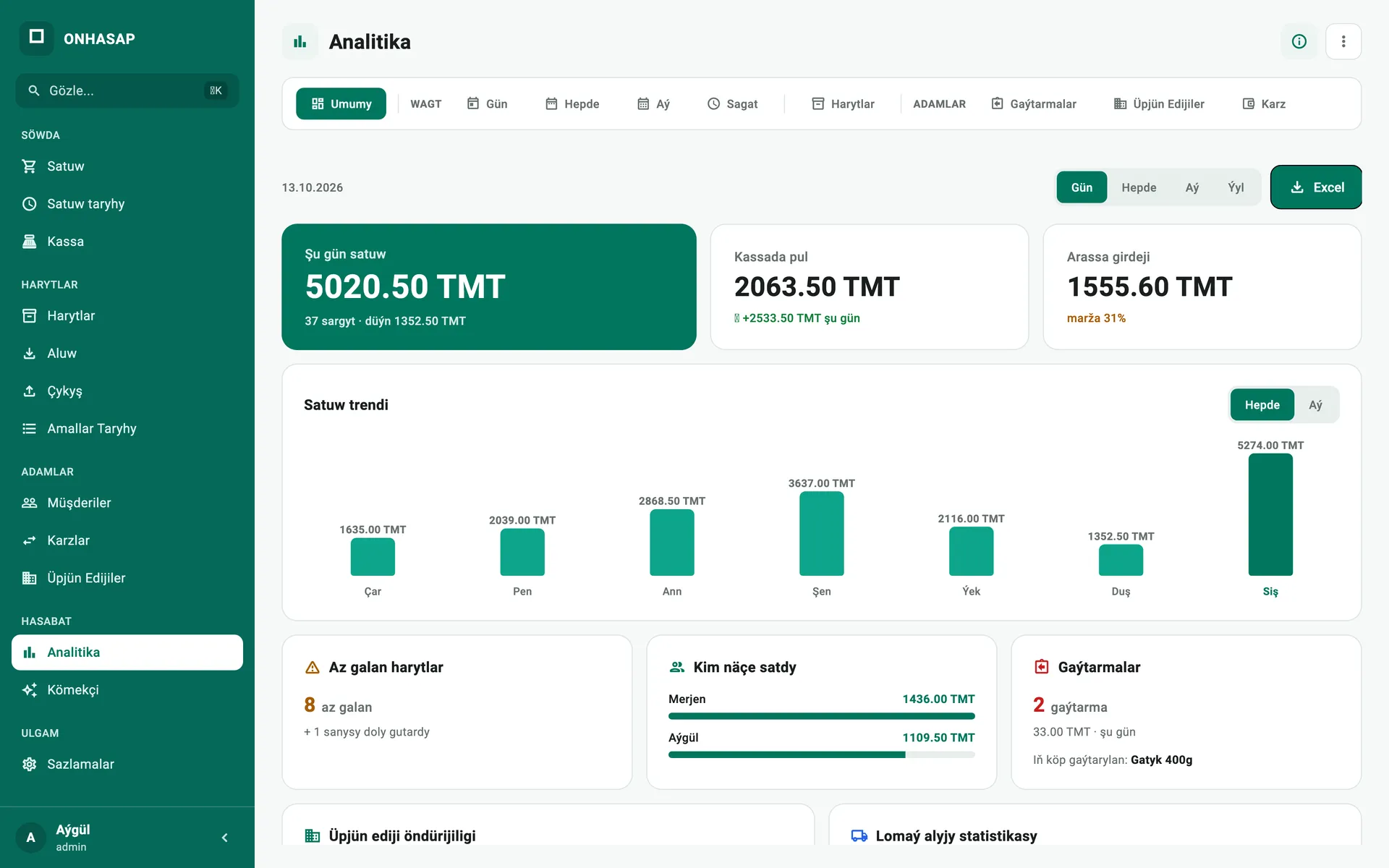
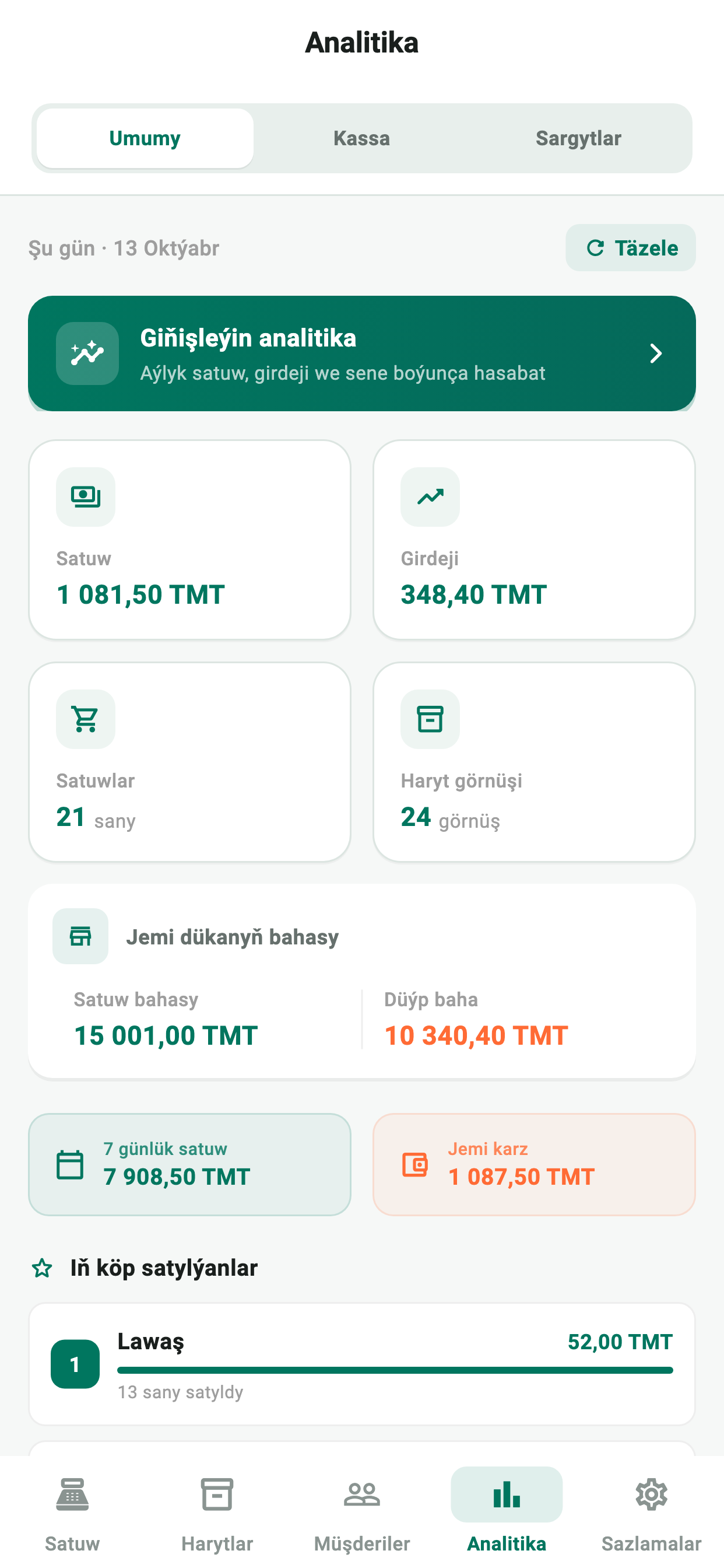
Analytics. Sales trend, cash on hand and net profit in real time.
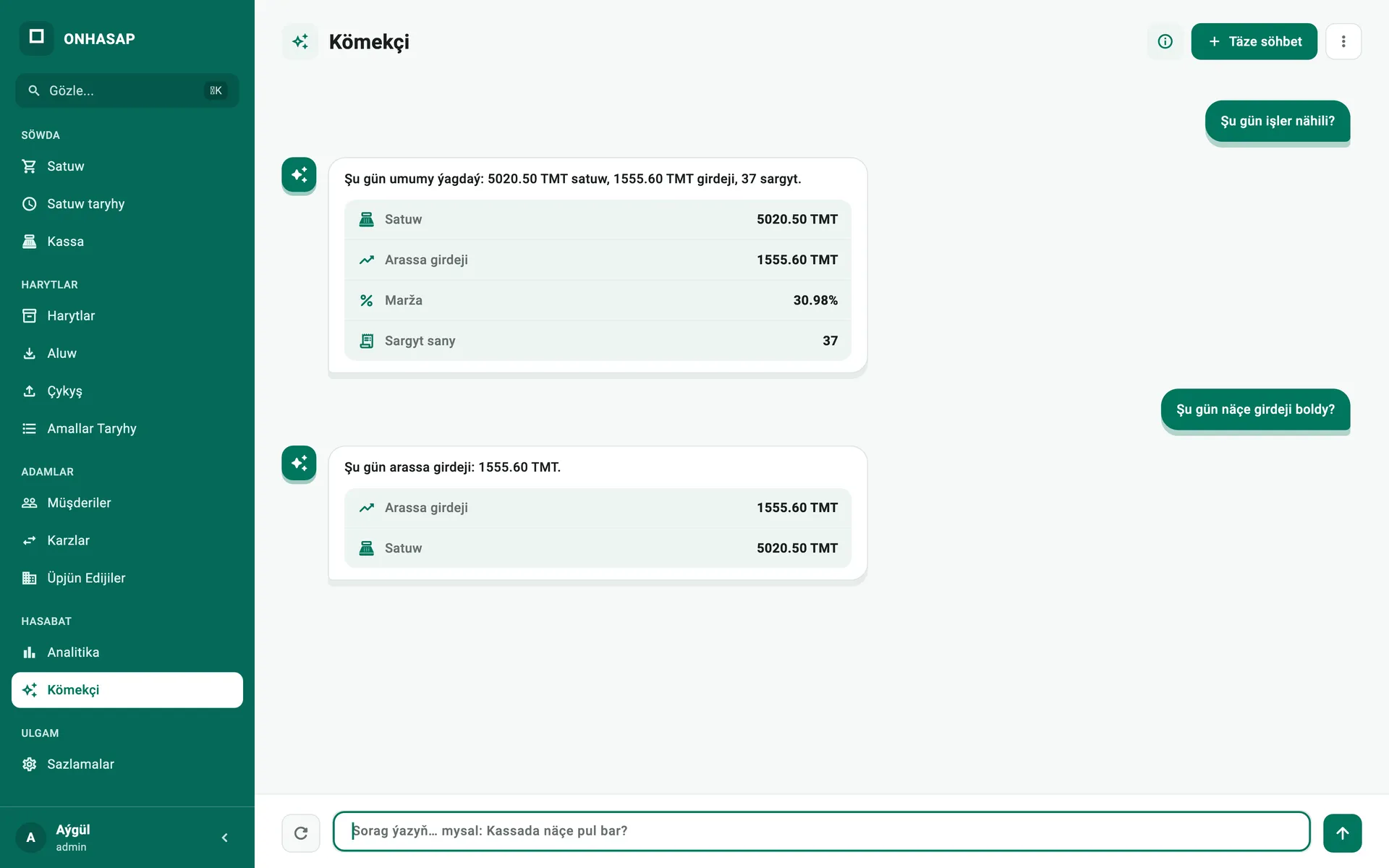
Assistant (AI). Ask a question and the assistant instantly answers with today's sales, profit and cash.
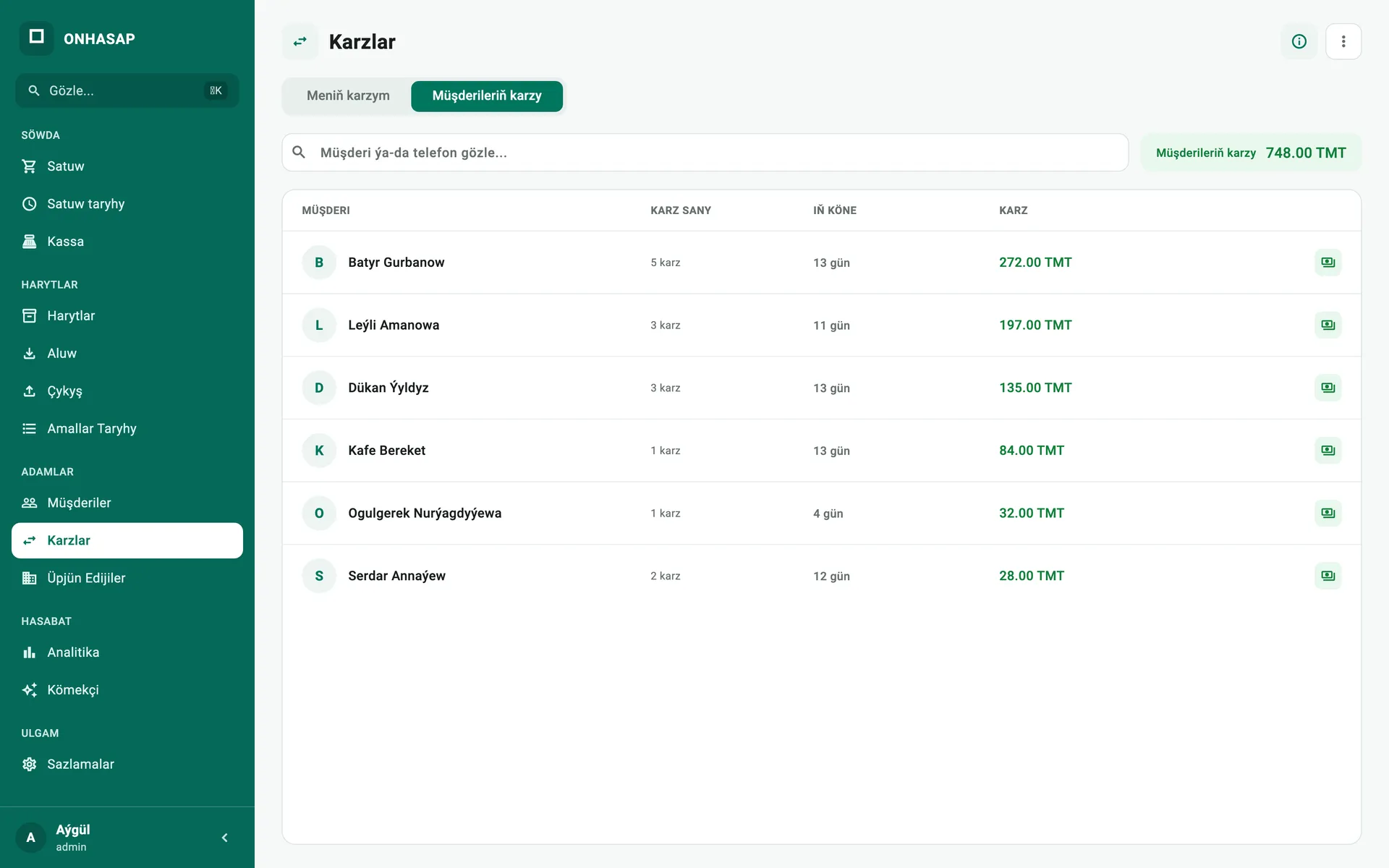
Debts. See which customers owe how much, and how old the oldest debt is.
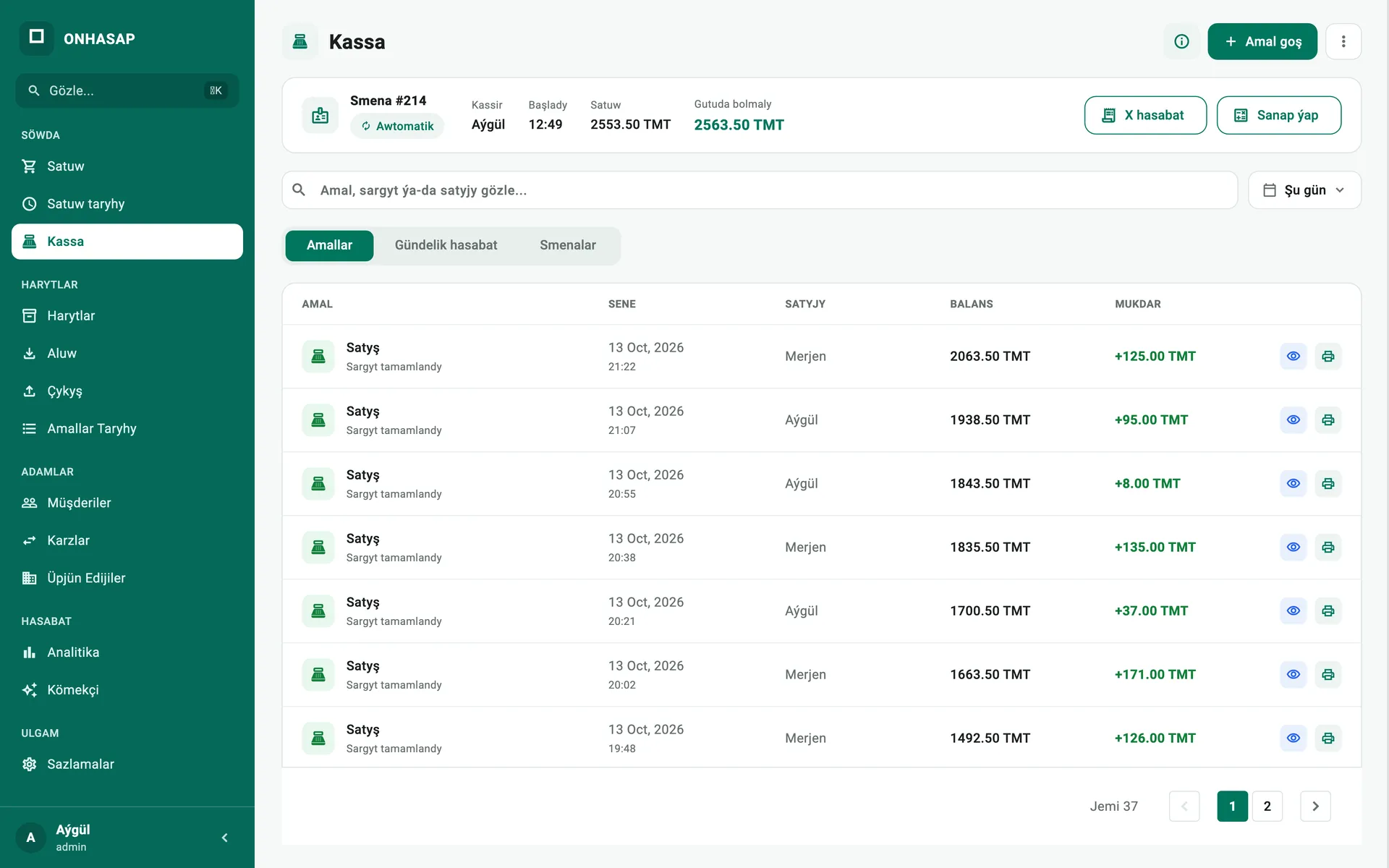
Cash register. Follow the shift, the cash in the drawer and every movement with its time.
Pricing
Annual plan: 900 TMT in total.
Three plans — every feature in each one.
See pricing1 month
99
TMT
6 months
500
TMT
−16%
1 year
900
TMT
−24%
Features
From the checkout to the warehouse — a dedicated screen for every job. No extra software needed.
Scan a barcode and the item is in the cart. Keep several orders open, apply discounts and handle returns.
Live stock for every product, low-stock alerts, and bulk import from Excel.
Receive goods and see the margin calculated instantly. Track what you owe each supplier.
Sell on credit, track customer debts and wholesale buyers — always know who owes what.
Track cash on hand, income, expenses and every shift. The daily report builds itself.
Daily, weekly and monthly sales, net profit, best sellers and sales per cashier. Export to Excel.
Works with Bluetooth and Wi-Fi thermal printers. Design your own receipt layout.
Several computers share one inventory. Pair your phone with the till and use it as a scanner.
Data is backed up automatically. Check your shop’s numbers from home or another city.
Give each employee their own permissions. Discounts, returns and deletions are all logged.
AI assistantNew
Ask in plain words and the assistant instantly finds the answer about sales, profit, cash, stock and debts in your own data.
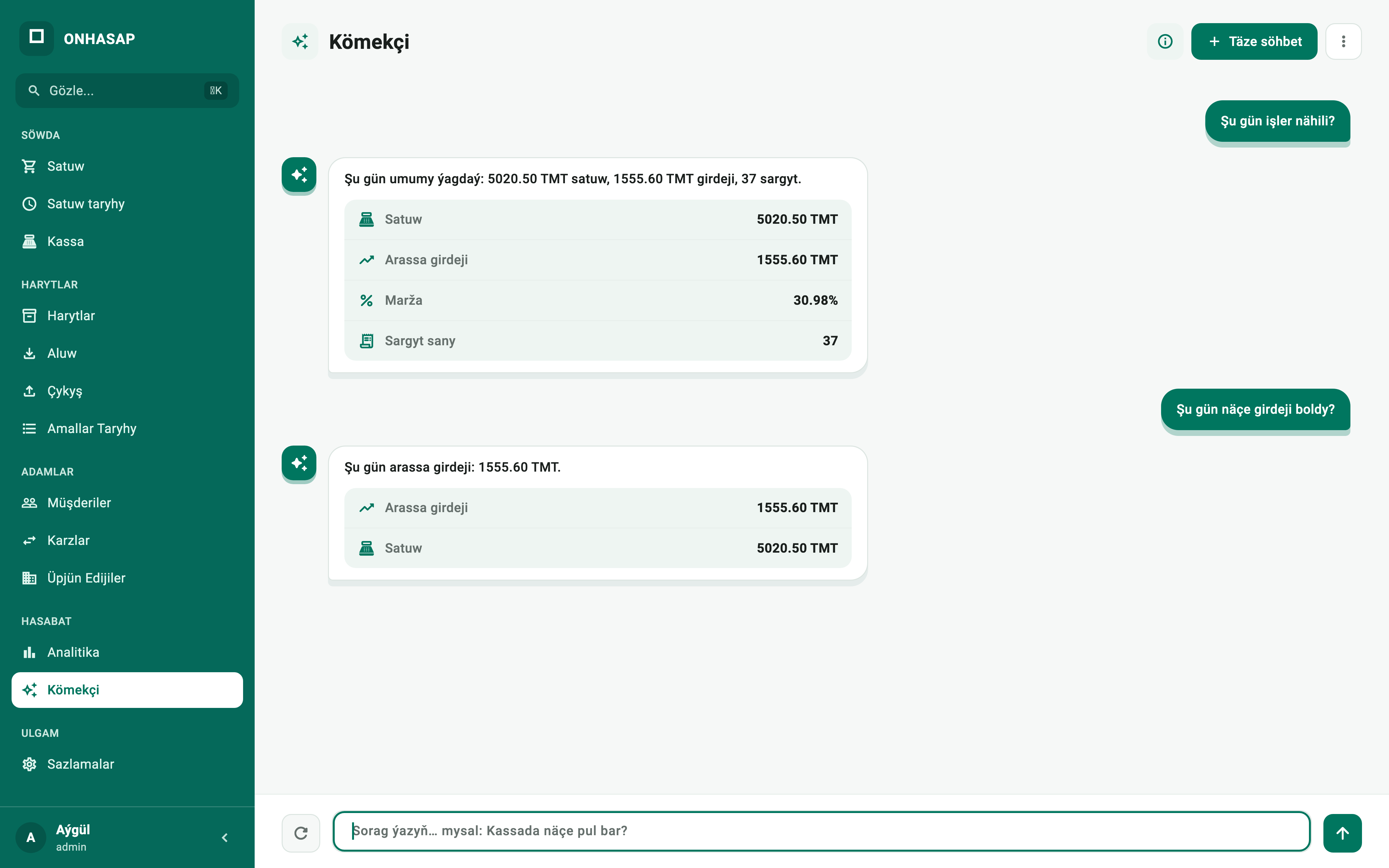
“Şu gün işler nähili?” or “Kassada näçe pul bar?” — type it the way you would ask a person. The assistant understands Turkmen.
Exact figures for sales, net profit, margin, cash and debts — as a short report.
Type “Harytlary aç” and the assistant opens the right screen for you.
The assistant runs entirely on your computer: your data is never sent anywhere.
Example questions
The assistant understands Turkmen.
Mobile app
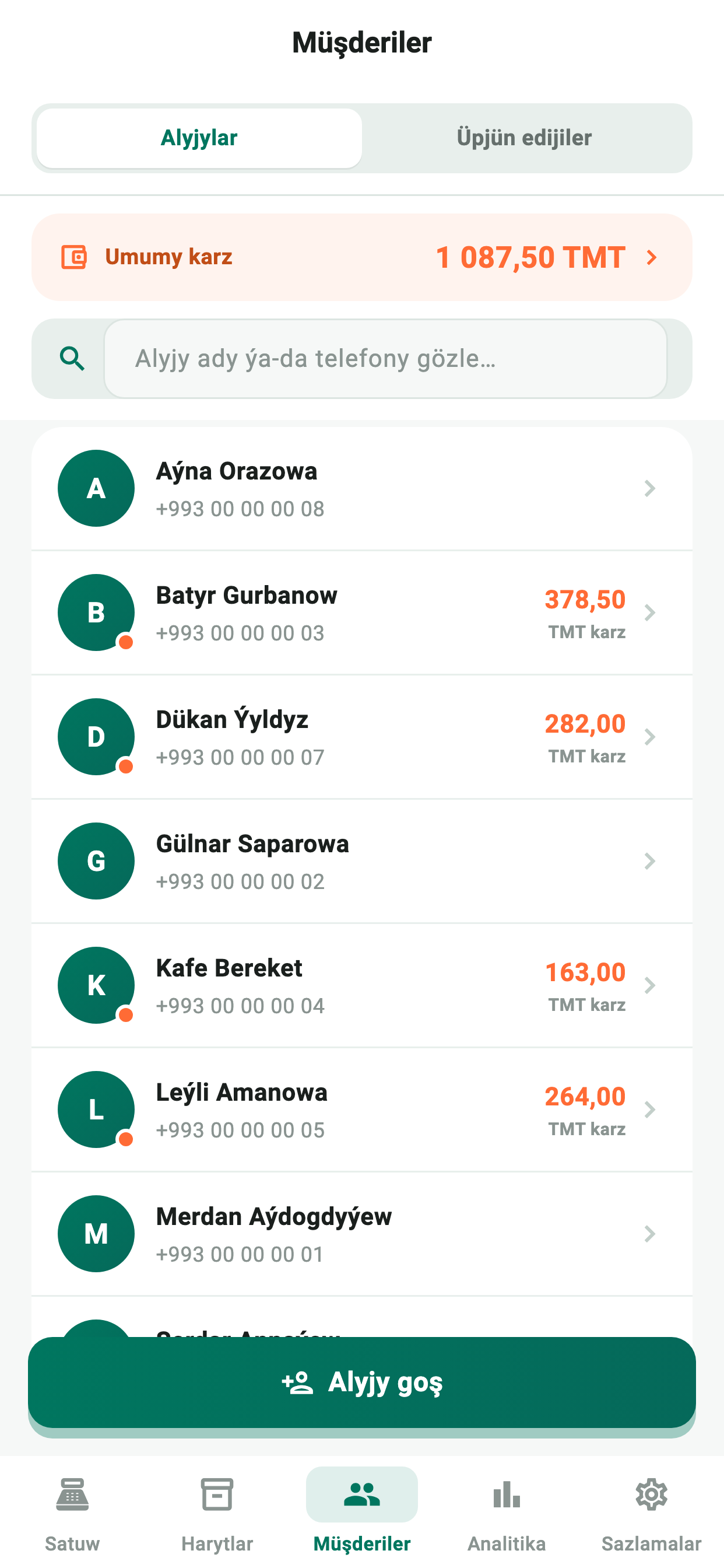
With the OnHasap Android app you can sell from your phone, manage products and check reports from anywhere.
No PC required
In standalone mode OnHasap runs fully on your phone: sales, products, customers and reports — even offline.
No computer, no internet: run a small shop entirely from your phone.
Connect to the OnHasap POS in your shop over Wi-Fi to handle sales, deliveries and products.
See your shop's reports and sales over the internet, from anywhere.
Why OnHasap
Internet down? Keep selling. Data syncs on its own once you are back online.
Offline: local sales and bookkeeping. Cloud sync and remote viewing require internet.
Try it — switch the internet off
Turkmen interface and receipts, manat prices and a built-in USD exchange rate.
Runs smoothly on older computers. Search stays instant with thousands of products.
We help you install it, move your products over and train your staff.
Get started
Call or message us and tell us a little about your shop.
We install OnHasap and import your products from Excel.
Plug in a barcode scanner and open for business the same day.
FAQ
Still have questions?
Call or message us — we are happy to help.
OnHasap is POS and accounting software for shops and trading businesses in Turkmenistan. It handles sales, inventory, cash, customer credit and profit in one place.
Yes. In the OnHasap Android app’s standalone mode, sales, products, customers and reports all work on your phone, even offline. Download it from Google Play.
Kömekçi is the smart assistant built into OnHasap. You ask a question in Turkmen and it finds the answer about sales, profit, cash, stock and debts in your shop’s data. It works offline and your data never leaves your computer.
Yes. OnHasap stores all data on your computer, so sales continue offline. When a connection is available, data syncs to the cloud.
OnHasap runs on Windows and macOS. A regular laptop is enough. There is also an OnHasap mobile app for Android.
Yes. Any USB barcode scanner works, and your phone can act as a scanner. Bluetooth and Wi-Fi thermal printers are supported.
Yes. Import your whole product list from an Excel file in one go — or we can do it for you.
Yes. With cloud sync enabled you can see sales and profit reports from anywhere.
Yes. We help you move your products from your old software via Excel so the switch is quick.
Contact us — we will show you the software and set it up for a trial.
Call or message us — we will show you OnHasap and set it up.
Hello! I would like to try OnHasap for free. Please tell me about setup and the trial terms. Your region: Ashgabat
Open the prepared request in Telegram or your email app, then send it yourself.